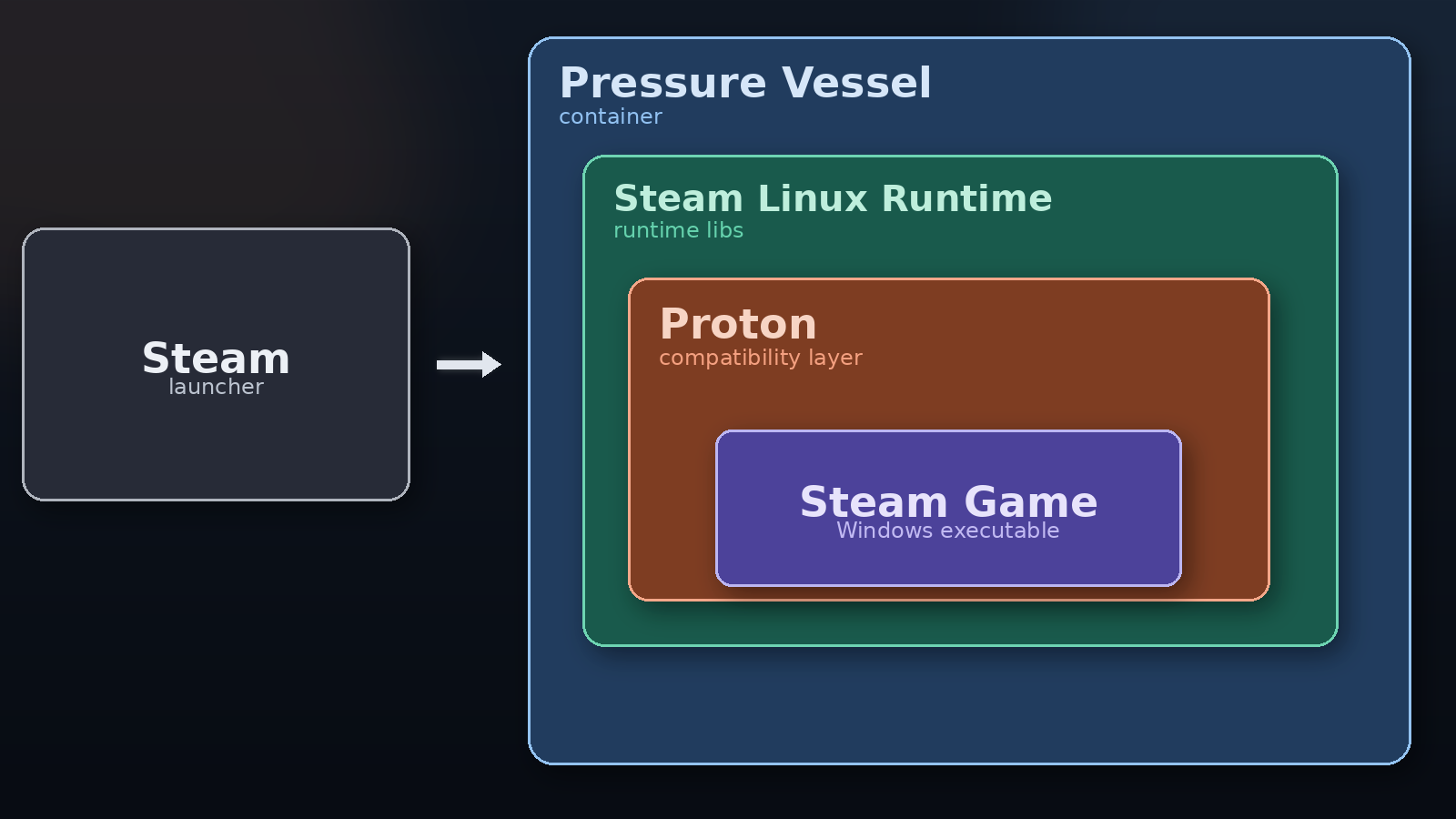
Steam Runtime Container Hierarchy
The Steam Linux Runtime container gives Proton a predictable runtime and keeps games aligned with the libraries Proton was built and tested against.
Open Wine Components documents how Proton, the Steam Linux Runtime container, UMU-Launcher, UMU-Database, and UMU-Protonfixes fit together for non-Steam game support across Linux front-ends.

Scan the QR code to open the project page and share the docs from mobile.

The Steam Linux Runtime container gives Proton a predictable runtime and keeps games aligned with the libraries Proton was built and tested against.
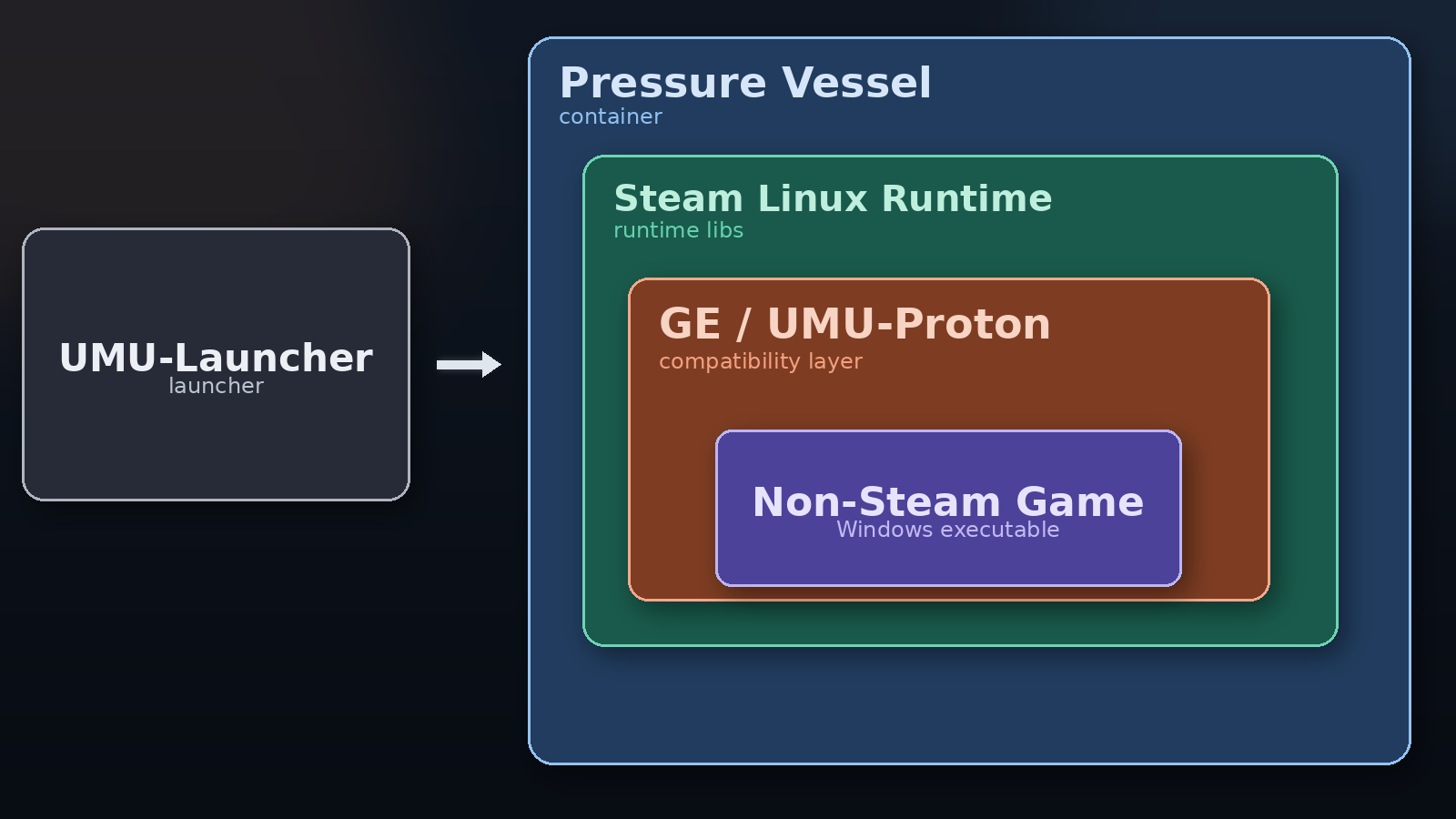
UMU-Launcher extends the same containerized model to non-Steam games so front-ends can launch them with Proton in a stable, repeatable environment.
Proton is built against a known runtime. If a host system exposes incompatible library versions, Proton can fail or behave inconsistently outside the container.
The runtime container creates a stable target across Linux distributions, which is one of the core requirements for reliable game support.
UMU-Launcher can be used for any non-Steam game, even when no game-specific fixes are required. UMU_ID and STORE remain optional.
WINEPREFIX=~/some/prefix/path PROTONPATH=GE-Proton umu-run /path/to/game.exe
When using UMU-Launcher, setting PROTONPATH=GE-Proton can download and use the latest GE-Proton build automatically. If omitted, UMU-Proton is used by default.
All tool developers collaborate on UMU’s shared database and fix system.
UMU_IDCLI means Command Line Interface.
GUI means Graphical User Interface.
The front-end knows the game title, store, or codename supplied by the store API or database.
The front-end queries UMU-Database using the store, title, or codename and receives the corresponding UMU ID.
The tool passes UMU ID and store to UMU-Launcher, which applies fixes through GE-Proton or UMU-Proton when required.
Use the web search UI for quick manual lookups.
Fetch entries programmatically from the UMU database service.
https://umu.openwinecomponents.org/umu_api.php?store=SOME-STORE?store=SOME-STORE&codename=SOME-CODENAME-OR-APP-ID?codename=SOME-CODENAME-OR-APP-ID?umu_id=SOME-UMU-ID&store=SOME-STORE-OR-NONE?umu_id=SOME-UMU-ID?title=SOME-GAME-TITLE&store=SOME-STORE?title=SOME-GAME-TITLE